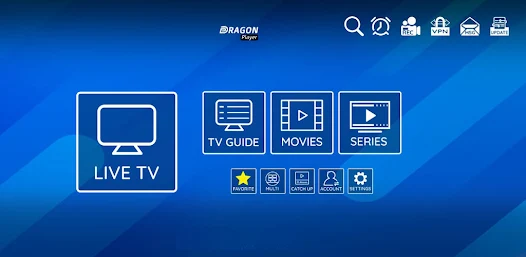
XCIPTV is a popular IPTV application that allows users to stream live TV channels, movies and series. However, like any application, it can encounter technical problems. This article will guide you through common XCIPTV problems and suggest solutions to resolve them.
Common XCIPTV problems
- Application does not open
- Connection problems
- Black or frozen screen
- No sound or delayed audio
- Constant buffering
- Content loading problems
- Login error with credentials
Solutions to common problems
1. Application does not open
If XCIPTV does not open, this may be due to corrupted cache files or an obsolete version of the application.
-
Solution Clear the application cache. Go to your device settings, find the XCIPTV application, then select «Clear cache». If this doesn't work, try uninstalling and reinstalling the application. Also make sure your device has enough storage space to run the application.
-
Additional advice Check that your device is up to date. Sometimes, an operating system update can solve compatibility problems.
2. Connection problems
Connection problems may occur if you enter incorrect credentials or if your IPTV subscription has expired.
-
Solution Check that you have entered your username and password correctly. Also check that your subscription is active. If necessary, contact your IPTV provider to confirm your account status.
-
Additional advice If you're using a VPN, try disabling it temporarily, as this can sometimes interfere with the connection to your IPTV service.
3. Black or frozen screen
A black screen can be caused by a lack of storage space or corrupted cache files.
-
Solution XCIPTV: Free up space on your device by deleting unnecessary applications and files. Also clear the XCIPTV application cache.
-
Additional advice Try restarting your device. Sometimes a simple restart can solve display problems.
4. No sound or delayed audio
If you can't hear any sound, or if the audio is out of sync with the video, this may be due to audio configuration or Internet connection problems.
-
Solution Check your device's audio settings and make sure the volume is not muted. If the problem persists, try restarting the application and your device.
-
Additional advice If you are using an external audio system, check the connections and make sure that the correct audio device is selected in your device settings.
5. Constant buffering
Buffering can be caused by a slow or unstable Internet connection.
-
Solution Test your Internet connection to make sure it's fast enough (at least 5 Mbps for streaming). If your connection is weak, consider restarting your router or switching to a wired connection.
-
Additional advice If possible, connect your device directly to the router via an Ethernet cable for a more stable connection. Also avoid using other devices that consume a lot of bandwidth while you're watching.
6. Content loading problems
If content does not load, this may be due to server problems with your IPTV provider.
-
Solution Check whether your supplier's server is online. You can do this by consulting your supplier's social networks, or by using online tools such as Downdetector.
-
Additional advice Try changing server in the application settings, if this option is available. This can sometimes solve loading problems.
7. Login error with login details
If you receive an error message regarding your login details, this may be due to an input error or a problem with your account.
-
Solution Make sure you enter the right information. If you've forgotten your password, use your IPTV provider's password recovery function.
-
Additional advice If you have recently changed your password, be sure to update the information in the XCIPTV application.
Conclusion
By following these steps, you should be able to solve most of the common problems encountered with XCIPTV. If problems persist, don't hesitate to contact your IPTV provider's customer support for further assistance. Enjoy your streaming experience with XCIPTV!