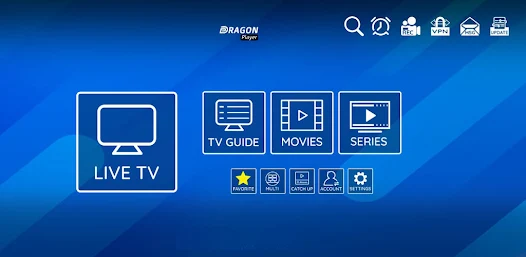
The world of’IPTV is enjoying remarkable growth in France, transforming the way we consume audiovisual content. This revolutionary technology enables television to be broadcast via the Internet, offering unrivalled flexibility to French users. However, many users are experiencing difficulties with XCIPTV, notably in terms of stability and limited functionality.
To take full advantage of this technology, it's essential to find a high-performance free IPTV player. The alternatives available on the French market offer a wide range of functions, from simple stream playback to complete multimedia management interfaces. This diversity means that every user can find the solution best suited to his or her specific needs.
In this comprehensive guide, we'll explore the five best free alternatives to XCIPTV available in France. Each solution will be analyzed in detail, with its advantages, disadvantages and technical specifics. We'll also cover the practical aspects of installation and configuration, as well as important legal considerations.
What is an IPTV player and why look for an alternative?
How IPTV technology works
The technology IPTV is revolutionizing the French TV industry by using Internet protocols to broadcast audiovisual content. Unlike traditional satellite or cable broadcasting, this method uses your existing Internet connection to transmit TV signals directly to your devices.
The technical process involves encapsulating video signals in IP packets, then transmitting them via your home network. This approach has the considerable advantage of enabling two-way interaction between the content provider and the end user. French users can benefit from advanced functionalities such as catch-up TV, video-on-demand and remote recording.
France's network infrastructure, which is particularly well-developed in fiber optics, greatly facilitates the adoption of this technology. The high data rates available deliver exceptional picture quality, often superior to traditional broadcasting methods. This technological evolution explains the growing enthusiasm of French consumers for IPTV solutions.
XCIPTV limitations
XCIPTV has several significant limitations, prompting users to look for better alternatives. Stability is the application's main weakness, with frequent clipping and recurring audio-video synchronization problems. These malfunctions considerably affect the user experience, particularly when viewing live content.
XCIPTV's user interface also lacks modernity and intuitiveness. Navigation remains complex, especially for users less familiar with digital technologies. This complexity is particularly apparent when managing playlists or configuring advanced settings.
Irregular updates are another major drawback. The absence of continuous development limits the application's functional evolution, and can create incompatibilities with new versions of operating systems. This situation naturally drives users towards more dynamic, better-maintained solutions.
Top 5 free IPTV players
1. VLC Media Player - The universal player
VLC Media Player has established itself as the benchmark for free multimedia players, particularly appreciated by the French community. Developed by the French VideoLAN association, this open-source software offers the considerable advantage of universal compatibility with all existing audio and video file formats.
VLC's IPTV capabilities are outstanding, thanks to its native support for the most common streaming protocols. The application perfectly handles HLS, RTSP, UDP and HTTP streams, offering exceptional flexibility for playback of a wide variety of IPTV content. This technical versatility enables users to consume content from multiple sources without the need for additional applications.
VLC's ease of use is a major advantage for French users. The uncluttered interface makes navigation easy, while advanced functions remain accessible via contextual menus. This balanced approach is perfect for beginners and experienced users alike, who want to personalize their viewing experience.
The VLC ecosystem benefits from an active community that regularly develops extensions and custom skins. This wealth of functionality enables the application to be adapted to the specific needs of each user, creating a truly personalized experience.
2. Kodi - The complete solution
Kodi is much more than just a free IPTV player, it's a true home multimedia center. This open-source platform transforms any device into a complete entertainment station, capable of managing all types of digital content. Kodi's modular architecture enables extensive customization thanks to a particularly rich ecosystem of extensions.
Kodi's user interface stands out for its modern design and intuitive navigation. The automatic library system makes it easy to organize content, while metadata enriches the discovery experience. This professional approach is particularly appealing to French users looking for an aesthetic and functional solution.
Kodi's IPTV features are built around the PVR IPTV Simple Client plugin, enabling native integration of live TV streams. This technical solution offers a user experience similar to that of a traditional set-top box, with electronic program guide and recording capabilities.
Advanced user profile management allows each member of the French family to personalize their experience. This feature is particularly appreciated in multi-generational households, where content preferences can vary considerably.
3. IPTV Smarters Pro - Specialized streaming
IPTV Smarters Pro is positioned as an application dedicated exclusively to the consumption of IPTV content. This specialization gives it significant technical advantages over general media players. Specific optimization for streaming ensures exceptional playback quality, even with moderate-speed Internet connections.
IPTV Smarters Pro's user interface faithfully reproduces the experience of using traditional set-top boxes. This familiar approach greatly facilitates adoption by French users accustomed to conventional TV solutions. The integrated electronic program guide offers intuitive time navigation and easy viewing planning.
Customization features allow users to create lists of favorites and organize channels according to their preferences. This organizational flexibility is particularly useful for users with a large number of international or thematic channels.
IPTV Smarters Pro's cross-platform compatibility makes it easy to synchronize between different devices. French users can start viewing on their smartphones and continue on their TV sets without interrupting service.
4. Perfect Player - Intuitive interface
Perfect Player stands out for the simplicity of its user interface, designed to provide a distraction-free viewing experience. This minimalist design philosophy is particularly appealing to French users looking for an efficient, straightforward solution for consuming their favorite IPTV content.
Perfect Player's performance impresses with its stability and fluidity, even when playing high-definition streams. The application's technical optimization ensures reduced consumption of system resources, prolonging the autonomy of mobile devices and guaranteeing a fluid experience on less powerful configurations.
Managing M3U playlists is particularly intuitive with Perfect Player. Importing and synchronizing channels takes just a few simple steps, making the application accessible to novice users. This ease of use is a significant competitive advantage in the landscape of free IPTV applications.
Perfect Player's customization options enable the interface's appearance to be adapted to individual preferences. This aesthetic flexibility helps to create a pleasant, personalized user experience, an important factor in building loyalty among French users.
5. GSE Smart IPTV - Advanced features
GSE Smart IPTV offers a set of advanced features that will appeal to experienced users looking for precise control over their IPTV experience. The application integrates network diagnostic tools to optimize streaming quality according to each user's specific connection conditions.
GSE Smart IPTV's technical architecture natively supports the latest streaming protocols, guaranteeing extensive compatibility with modern IPTV services. This cutting-edge technological approach ensures a long service life for French users investing in long-term solutions.
Our integrated parental control functions respond to the legitimate concerns of French families. These tools can filter content by age and create user profiles adapted to each family member, guaranteeing safe consumption of audiovisual content.
GSE Smart IPTV's cloud synchronization makes it easy to back up and restore user configurations. This modern feature enables users to retrieve their personalized settings after reinstallation or when changing devices.
Detailed comparison of free IPTV players
| Features | VLC | Kodi | IPTV Smarters Pro | Perfect Player | GSE Smart IPTV |
|---|---|---|---|---|---|
| Easy to install | Very easy | Moderate | Easy | Very easy | Easy |
| User interface | Simple | Customizable | Modern | Minimalist | Advance |
| Format compatibility | Universal | Excellent | IPTV specialist | Good | Very good |
| Performance | Stable | Variables | Optimized | Excellent | Very good |
| Advanced features | Limited | Numerous | Specialized | Essentials | Complete |
| Cross-platform support | Excellent | Excellent | Good | Good | Very good |
| Community/Support | Very active | Very active | Moderate | Limited | Good |
| Resource consumption | Moderate | High | Optimized | Low | Moderate |
| Updates | Regular | Frequent | Regular | Occasional | Regular |
| Learning curve | Low | High | Moderate | Very low | Moderate |
This comparison reveals that each free IPTV player offers specific advantages depending on the user's needs. VLC is ideal for users seeking simplicity and reliability, while Kodi is aimed at enthusiasts wishing to fully customize their multimedia experience.
How to install and configure your IPTV player
General installation steps
To install a free IPTV player, there are a few basic steps you need to follow to ensure optimum performance. The first step is to check your device's compatibility with the chosen application. This prior check avoids disappointment later on, and ensures a satisfactory user experience from the very first launch.
To ensure the security of your system, it is essential to download from official sources. Official application stores such as Google Play Store, Apple App Store or developer websites are the recommended distribution channels. This precaution protects your device from potentially malicious modified versions.
The actual installation generally follows a standardized process depending on your operating system. Android users benefit from simplified installation via the Play Store, while Windows users may need to grant specific authorizations to run the application.
Initial configuration often requires the creation of a user profile and the definition of basic preferences. This fundamental step directly influences the quality of the subsequent user experience, and deserves special attention to optimize reading performance.
Playlist configuration
Setting up M3U playlists is the crucial step in accessing the IPTV content you want. These text files contain the information needed to access streaming streams, including URL addresses, channel names and associated metadata. Understanding this structure greatly facilitates content management.
Depending on the application chosen, several methods are available for importing lists. The URL-based method enables automatic synchronization with remote servers, guaranteeing continuous updating of available content. This approach is particularly suited to users wishing to minimize manual intervention.
Local file import offers precise control over the content accessible, enabling users to customize their lists according to their specific preferences. This method requires manual management of updates, but guarantees greater stability of access to favorite content.
The configuration is validated by playback tests on different types of content. This systematic verification enables us to quickly identify any compatibility or configuration problems, facilitating their resolution before intensive use.
Tips for optimum use
Safety and legality
The use of free IPTV players raises important questions of security and legality that French users need to consider. The fundamental distinction between legal and illegal content largely determines the risks associated with this technology. Legitimate IPTV services respect copyright and offer appropriately licensed content.
Protecting your privacy is a major issue when using IPTV services. Using a quality VPN masks your real IP address and encrypts your Internet traffic, protecting your personal data from possible intrusions. This protection is particularly important when accessing content via international servers.
Regular verification of the legitimacy of content sources helps avoid potential legal complications. French users should give preference to services that comply with national and European copyright legislation. This vigilance protects against legal sanctions and contributes to the development of a digital ecosystem that respects creators.
Installing up-to-date antivirus solutions protects your system from the potential threats posed by certain malicious streams. This preventive protection is essential to maintain the integrity of your personal and professional data.
Streaming quality
Optimizing streaming quality requires a methodical approach that takes into account the technical specifics of your installation. Available bandwidth is the main limiting factor for accessible video quality. A minimum 25 Mbps connection generally enables stable 4K streaming, while 10 Mbps is sufficient for Full HD content.
Home network configuration has a significant influence on streaming performance. Using a wired Ethernet connection guarantees greater stability than WiFi, which is particularly important for high-definition content. The position of the router and the management of electromagnetic interference also affect wireless reception quality.
IPTV application settings often allow quality to be adjusted according to available network conditions. The adaptive streaming function automatically modifies resolution according to instantaneous bandwidth, avoiding interruptions to playback. This technology considerably enhances the user experience when bandwidth fluctuates.
Data caching compensates for temporary variations in network throughput. Increasing the buffer size improves playback fluidity, but also increases the initial delay before playout starts. This balance needs to be adjusted according to individual preferences and technical constraints.
FAQ - Frequently asked questions about IPTV players
What's the difference between a free IPTV player and a paid application?
Free IPTV players offer essential streaming functionality at no extra cost. However, they may have limitations in terms of technical support, updates or advanced features. Paid solutions generally offer dedicated customer support, regular updates and premium features such as advanced recording or multi-device synchronization.
How can I solve the frequent interruption problems when streaming?
Streaming interruptions are generally the result of three main factors: the stability of your Internet connection, the quality of the source server and the configuration of your player. First, check your Internet speed and opt for a wired connection. Then increase the buffer size in your application settings. If problems persist, test different content sources to identify the most stable servers.
Is it legal to use a free IPTV player in France?
Using a free IPTV player is perfectly legal in France. These applications are simply technical tools for reading multimedia streams. However, legality depends entirely on the content consumed. Accessing copyrighted content without proper authorization constitutes an infringement of intellectual property. Always give preference to legitimate, copyright-compliant sources.
What are the minimum system requirements for quality streaming?
A minimum configuration includes a recent processor (less than 5 years old), 4 GB RAM and a stable Internet connection of at least 10 Mbps. For 4K streaming, prefer 8 GB RAM, a more powerful processor and a 25 Mbps connection. The quality of your screen also influences the experience, with a preference for Full HD or 4K slabs depending on your needs.
How do I save my channel lists and settings?
Most free IPTV players allow you to export M3U lists and configuration settings. Access the settings menus to locate the export/import options. Regularly back up these files on external media or a cloud service to facilitate restoration in the event of a problem. Some applications also offer automatic synchronization with user accounts.
Can I use several IPTV players simultaneously?
Simultaneous use of several IPTV players on the same device poses no major technical problems. This approach allows you to test different applications and benefit from the specific advantages of each. However, beware of system resource consumption, which can affect overall device performance. Close unused applications to optimize performance.
How can I optimize my mobile data consumption?
Using IPTV over a mobile connection requires careful management of data consumption. Choose lower resolutions (720p or less) to limit the data rate required. Activate the data-saving functions available in your player. Regularly monitor your consumption via your smartphone's settings to avoid exceeding your data rate.
What should I do if my IPTV player stops working after an update?
Post-update malfunctions require a methodical approach to resolution. First, restart your device completely. Then check any application settings that may have been reset. If the problem persists, uninstall and reinstall the application, keeping a backup of your settings. Consult the community forums to find solutions specific to your version.
The ecosystem of free IPTV players offers French users a diversity of solutions to suit all needs and levels of expertise. Each alternative to XCIPTV offers its own specific advantages, which should be evaluated according to your personal priorities. Selecting the optimal player depends on factors such as your technical level, functional requirements and aesthetic preferences.
The rapid evolution of this technology guarantees the regular emergence of new features and improvements. This dynamic of innovation directly benefits French users, who can enjoy increasingly refined experiences. The responsible adoption of these tools, with due respect for legality and security, contributes to the development of a mature and sustainable digital ecosystem.
Mastering these tools opens up new prospects for audiovisual consumption, freeing users from the traditional constraints of television programming. With this freedom comes responsibility in terms of content choice and respect for copyright, essential elements for the serene, long-term adoption of IPTV technology.