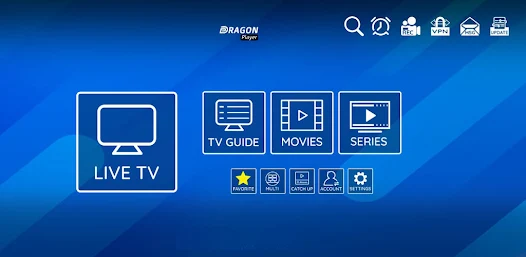
L’IPTV (Internet Protocol Television) will revolutionize the way we consume television content in 2025. At the heart of this technology lies the’EPG (Electronic Program Guide), a crucial element in efficiently navigating the world of available channels and programs. A well-configured EPG transforms your viewing experience, while a faulty one can quickly become a source of frustration.
What exactly is the EPG?
The EPG is the digital equivalent of your traditional TV program guide. It's an interactive interface that displays information on current and upcoming programs, broadcast times, program duration and sometimes even detailed descriptions of content. On your service IPTV, EPG allows you to :
- View channel programming
- See which programs are currently on air
- Plan your future viewings
- Access detailed information on each program
- Programming recordings (on compatible devices)
Why a functional EPG is essential to your IPTV experience
Without a correctly configured EPG, your subscription IPTV loses considerable value. Imagine having to browse through hundreds of channels without knowing what's on or what's coming up next. The EPG provides that essential structure that transforms a simple list of streams into a truly organized entertainment platform.
| Benefits of a functional EPG | Disadvantages of a faulty EPG |
|---|---|
| Intuitive channel navigation | Difficulty finding the programs you want |
| Planning programs to watch | Impossible to know the programming |
| Access to program details | Frustrating user experience |
| Possibility of scheduling recordings | Risk of missing important broadcasts |
| Easy search by category or genre | Time wasted manually searching for content |
Common problems with EPG on IPTV in 2025
In 2025, despite technological advances, a number of problems remain concerning the EPG services IPTV. Identifying these problems is the first step to solving them effectively.
EPG empty or data missing
The most frequent problem is the total or partial absence of information in your program guide. You may encounter :
- Channels with no program information
- Empty time slots
- Information only available for certain channels
- EPG data disappears after a few hours
This problem is often linked to an incorrect or out-of-date EPG URL, or to an EPG service that is no longer maintained by your provider. IPTV.
Unsynchronized or obsolete information
Another common problem concerns data synchronization. You can observe :
- Program schedules out of sync with actual broadcasts
- Information several days or weeks old
- Programs that appear in the guide but are not broadcast
- Programs in progress that do not correspond to the information displayed
These problems usually occur when the EPG server is not regularly updated, or when time zones are incorrectly configured.
Display errors and interface problems
Display problems can also affect your experience IPTV :
- Illegible or badly encoded characters
- Truncated descriptions
- EPG interface crashes or freezes
- Excessively slow guide navigation
- No program or image coverage
These malfunctions are often due to incompatibilities between your application and the one you are using. IPTV and the EPG source, or to hardware limitations on your device.
Basic solutions for repairing the EPG on your IPTV
Before moving on to advanced solutions, let's start with the basic checks and fixes that often solve the most common EPG problems.
Checking basic parameters
Several parameters can affect the proper functioning of your EPG:
- Check your Internet connection An unstable connection may prevent EPG data from being downloaded correctly.
- Check the time zone : Make sure that the time zone configured in your application IPTV corresponds to your actual location.
- Examine the language settings Display problems may occur if the language setting does not match that of the EPG data.
- Check the EPG URL Confirm that the EPG source address has been entered correctly, with no typing errors.
Restarting and updating your device
This simple solution solves a surprisingly large number of problems:
- Reboot your device (Android box, Smart TV, etc.) completely.
- Check if a firmware update is available for your device
- Update your application IPTV to the latest version
- After updating, restart the device to apply all changes
Cache and data cleansing
The accumulation of temporary data can affect the performance of your EPG:
- Access your application settings IPTV
- Find the cache or data cleanup option
- Perform a thorough cleaning
- Reconnect to your service and check that the EPG loads correctly
On an Android device, you can also :
- Go to «Settings» > «Applications»
- Find your application IPTV
- Select «Storage»
- Click on «Empty cache» and then «Clear data» (note that this last option will require you to log in again).
Advanced solutions to EPG problems
When basic solutions aren't enough, we need to explore more technical approaches to restoring EPG functionality.
Update EPG URL
One of the most frequent causes of malfunction is the use of an obsolete EPG URL:
- Contact your supplier IPTV to obtain the most recent EPG URL
- Access your application settings IPTV
- Locate the section dedicated to EPG or channel settings
- Replace the old URL with the new one
- Save changes and restart the application
- Wait for data to synchronize (this may take several minutes)
Manual configuration of EPG sources
If your supplier doesn't offer a reliable EPG, you can use alternative sources:
- Search for free, reliable EPG sources adapted to your region (such as WebGrab+Plus or EPG-Direct).
- Get the URL of the corresponding XML or XMLTV file
- Include this URL in your application's EPG settings IPTV
- Configure the correspondence between the channel IDs in your list and those in the EPG source.
This method requires a little more work, but often offers better quality information.
Use of third-party applications to enhance the EPG
Several specialized applications can help solve persistent problems:
- IPTV Smarters Pro Advanced management of EPG sources
- TiviMate Offers EPG customization and optimization options
- Perfect Player Detailed parameters for EPG troubleshooting
- M3U Editor Allows you to manually edit associations between channels and EPG data
These applications can often bypass the application's limitations. IPTV provided by your service provider.
Step-by-step guide to setting up a customized EPG
For more advanced users, creating a customized EPG may be the ideal solution to guarantee accurate, up-to-date information.
Creating a customized EPG file
You can generate your own customized EPG file:
- Install software such as WebGrab+Plus on your computer
- Configure news sources for the channels you're interested in
- Generate an EPG file in XMLTV format
- Host the file on a cloud service such as Google Drive or Dropbox
- Use this file's shareable URL as an EPG source in your application IPTV
Setting up a local EPG server
For an even more customized solution :
- Set up a small server on a Raspberry Pi or an older computer
- Install software such as tvheadend or Jellyfin
- Configure the server to retrieve and aggregate EPG data from different sources
- Set up an automated task to update data daily
- Use your server's local address as EPG source
Synchronization with your IPTV service
Once you have created your personalized EPG :
- In your application IPTV, go to advanced settings
- Find the EPG configuration section
- Enter the URL of your customized EPG file
- Set update frequency (ideally every 24 hours)
- Configure channel ID matches if necessary
- Force an initial synchronization to check that everything is running smoothly
The best applications and tools for managing EPG in 2025
In 2025, several specialized tools will facilitate EPG management for services IPTV.
Applications dedicated to EPG management
| Application name | Platform | Key features |
|---|---|---|
| IPTV Smarters Pro | Android, iOS | Intuitive interface, multiple EPG sources, advanced customization |
| TiviMate | Android | Flexible layout, advanced search, multi-source EPG |
| GSE Smart IPTV | iOS, Android | Color EPG, category filters, custom favorites |
| Perfect Player | Android | Detailed configuration, XMLTV compatibility, EPG caching |
| Kodi + PVR IPTV Simple | Multi-platform | Full integration, total customization, specialized addons |
Recommended plugins and extensions
To improve basic application functionality IPTV :
- EPG Importer Import and merge multiple EPG sources
- Channel Mapper : Facilitates association of channels with corresponding EPG data
- XMLTV Merger Combines multiple XMLTV files into a single comprehensive guide
- EPG Downloader Automates downloading and updating of EPG data
Online resources for up-to-date EPG files
Several sites offer regularly updated EPG files:
- EPG-Direct Free service covering many countries
- kodiepg.com EPG files specially formatted for Kodi
- i-epg.com : Customized EPGs by region
- iptv-epg.com : Offers EPG files for various suppliers IPTV
Please note that the availability of these services may vary, and it is always advisable to check their reliability before using them.
Troubleshooting by device type
Solutions may vary depending on the hardware you use to access your service IPTV.
Setting up the EPG on Android TV/Box
Android devices are among the most popular for the’IPTV :
- Access your application settings IPTV
- Find the EPG or TV Guide section
- Check that the «Use EPG» option is enabled
- Configure the EPG URL provided by your service provider
- Set «EPG cache time» to 24 hours for best performance
- Activate the «Download EPG in background» option if available
- Restart the application after saving changes
In the event of persistent problems, try disabling other applications running in the background that may be consuming too many resources.
Smart TV solutions (Samsung, LG, etc.)
Smart TVs can present specific challenges:
- Make sure your Smart TV has the latest firmware version
- For Samsung TVs, use the Smart IPTV or SS IPTV application optimized for these devices.
- On LG WebOS, choose applications such as NetIPTV or SmartIPTV
- Check the available storage space on your TV (insufficient space may prevent EPG data caching).
- If possible, connect your TV via Ethernet rather than Wi-Fi for a more stable connection.
Optimization on MAG, Formuler and other dedicated equipment
Specialized boxes for’IPTV often have specific parameters:
- On MAG devices, access the «System settings» menu, then «Servers» to configure the EPG.
- For Formuler boxes, use the MyTVOnline application and its dedicated EPG menu.
- Check caching settings and increase capacity if possible
- Check regularly for firmware updates specific to your device
- If problems persist, a factory reset followed by a complete reconfiguration may be necessary.
FAQ - Frequently asked questions about EPG and IPTV
Why does my EPG display information for some channels but not for others?
EPG sources may have limited coverage depending on country and channel. Some providers IPTV use multiple EPG sources to cover different channel packages. Check whether your application allows you to use multiple EPG URLs simultaneously.
How can I correct the time difference in my program guide?
Most applications IPTV allow you to adjust the time zone in the EPG settings. Look for an option like «EPG Offset» or «Time Zone» and adjust it according to your location.
My EPG empties after a few hours. How can I solve this problem?
This problem is often linked to insufficient caching. Increase the EPG data caching time in your application settings (ideally 24-48 hours) and check that your device has sufficient storage space.
Can I use the same EPG for several IPTV applications?
Yes, if your applications support the standard EPG file format (usually XMLTV), you can use the same source for all your applications. This guarantees a consistent experience on all your devices.
How can I match channel IDs between my list and my EPG?
Several tools, such as IPTV Editor or m3u4u, allow you to edit the channel IDs in your list to match those of your EPG source. This step may be necessary if you use a different EPG source from the one offered by your provider.
Can I create a custom EPG just for my favorite channels?
Yes, tools like WebGrab+Plus or EPG-Collector allow you to generate an EPG file containing only the information for the channels you watch regularly, which can improve your application's performance.
Does the EPG consume a lot of Internet data?
A complete EPG file can weigh between 10 and 50 MB, depending on the number of channels and length of programs included. If you have a limited internet connection, configure your application to download the EPG during off-peak hours or only via Wi-Fi.
Conclusion - Make the most of your IPTV with an optimized EPG
A well-configured electronic program guide radically transforms your service user experience IPTV. In 2025, solutions to EPG problems are numerous and accessible, even to less technical users.
To maintain optimum EPG :
- Regularly check that your EPG source is always active and up-to-date
- Upgrade your application IPTV to the latest versions
- Consider using specialized applications if problems persist
- Feel free to experiment with different EPG sources to find the one that best suits your channel line-up.
By following the advice in this guide, you should be able to enjoy a functional EPG that will transform your channel navigation. IPTV into a smooth, enjoyable experience. The investment in time to set up your EPG correctly will be more than offset by the comfort of daily use and easy access to all your favorite programs.
Don't forget that the quality of your EPG also depends on the quality of your supplier. IPTV - if problems persist despite all your attempts, it may be wise to evaluate other, more reliable and better-maintained service options.