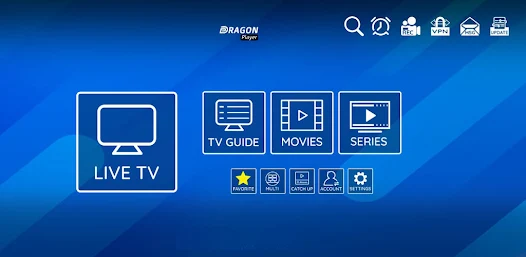
L’IPTV (Internet Protocol Television) is revolutionizing the way we consume TV content, offering a flexible and rich alternative to traditional TV services. For Firestick and Android TV users, IPTV opens up a world of entertainment possibilities. In this article, we'll explore the best applications available for these devices, with their download codes and installation methods.
What is IPTV and how does it work on Firestick and Android TV?
This service uses Internet Protocol to deliver TV programs and other video content directly to your screen. Unlike traditional television, which relies on satellite or cable signals, this technology transmits content via a broadband Internet connection. It gives you access to thousands of channels from all over the world, movies on demand and streaming series.
On Firestick and Android TV, this system works via dedicated applications that decode these data streams to deliver a smooth viewing experience. These platforms are particularly well suited to this type of service, thanks to their intuitive user interface and optimized streaming capabilities.
The different types of Internet TV services
| Service type | Description | Benefits |
|---|---|---|
| Chargeable service | Premium services with monthly subscription | Stability, customer support, HD/4K quality |
| Free service | Free services | Zero cost, variety of content |
| Hybrid service | Combination of free and paid options | Flexibility, customizable options |
The benefits of IPTV services for your streaming experience
Adopting IPTV on your Firestick or Android TV offers many advantages that fundamentally transform your viewing experience:
- Unrivalled flexibility: Watch what you want, when you want it
- Extensive content library: Access thousands of international channels
- Significant savingsCost-effective alternative to traditional cable packages
- Superior image qualityHD and 4K streaming available
- Customizable interfaceOrganize your channels according to your preferences
To take full advantage of these benefits, it's essential to choose a reliable IPTV application adapted to your device, whether it's a Firestick or an Android TV.
Our selection of the 10 best IPTV apps for Firestick and Android TV
1. IPTV Smarters Pro
IPTV Smarters Pro stands out as one of the most popular and versatile applications on the market. Compatible with Firestick and Android TV, it offers an elegant, intuitive interface for easy channel navigation.
Key features:
- Live and on-demand content playback
- Integrated Electronic Program Guide (EPG)
- Favorites and viewing history
- Compatible with most M3U list formats
How to install on Firestick:
- Go to «Settings» > «Devices» > «Options for developers».»
- Activate «Applications from unknown sources»
- Install the Downloader application from the App Store
- Open Downloader and enter the code:
http://bit.ly/iptvsmarters - Follow the installation instructions
Access code for configuration: Requires subscription to IPTV provider to obtain M3U URL and credentials.
2. TiviMate
TiviMate is often considered the most complete IPTV application, offering an experience close to that of traditional TV set-top boxes with a modern, highly customizable interface.
Key features:
- Exceptional user interface with multiple views
- Program recording (premium version)
- Multi-screen to watch several channels simultaneously
- Perfect integration with Firestick remote controls
How to install on Android TV:
- Open the Google Play Store
- Search for «TiviMate»
- Select and install the application
- For the premium version, use the code:
tivimate_premium
Configuration: Requires an M3U playlist or Xtream Codes subscription.
3. Perfect Player
Perfect Player is a lightweight yet powerful application that excels in simplicity and reliability. It is particularly appreciated for its low resource consumption.
Key features:
- Fast, minimalist interface
- Complete display customization
- Support for different playlist formats
- Advanced caching options
Firestick installation code:
- In the Downloader application, use:
http://bit.ly/perfect-player-tv - For the premium activation key, use:
PP_PREMIUM_2023
4. GSE Smart IPTV
GSE Smart IPTV is an all-in-one solution that supports virtually all streaming formats and offers advanced customization options for demanding users.
Key features:
- Multi-screen support
- Password protection
- Playlist import/export
- Integrated content filtering
Installation and access code:
- Available directly from the Android TV App Store
- To unlock premium features:
GSE_PREMIUM_ACCESS
5. Duplex IPTV
Duplex IPTV is gaining in popularity thanks to its elegant interface and its ability to efficiently manage large channel lists without slowing down.
Key features:
- Automatic channel categorization
- Powerful search engine
- Support for multiple subtitles
- Automatic list updates
Quick installation code:
- On Downloader:
https://duplexplay.com/download - Premium activation code:
DUPLEX2023
6. OTT Navigator
OTT Navigator offers one of the most complete experiences with an unrivalled level of customization and advanced features for expert users.
Key features:
- Highly customizable interface
- Advanced channel group management
- Detailed program information
- Timeshift support
Installation on Android TV:
- Open the Google Play Store
- Search for «OTT Navigator»
- Install the free application
- For the full version:
OTT_FULL_LICENSE
7. XCIPTV Player
XCIPTV Player is a reliable application that focuses on playback stability and ease of use, while offering advanced features.
Key features:
- Support for multiple connections
- TV-friendly interface
- Parental control options
- Intelligent caching
Installation on Firestick:
- In Downloader, enter:
https://xciptv.com/download - Activation code:
XC_PREMIUM_PLAYER
8. iMPlayer
iMPlayer stands out for its fluidity and visually appealing interface, optimized specifically for TV sets.
Key features:
- Advanced visual interface
- Support for external lists
- Numerous themes available
- Advanced network configuration options
Quick installation code:
- Via Downloader:
https://implayer.tv/download/firestick - Premium key:
IMPLAYER_PREMIUM_KEY
9. Lazy IPTV
Lazy IPTV is a simple but effective option, ideal for beginners looking for a solution that's easy to set up and use.
Key features:
- Minimalist interface
- Low resource consumption
- Support for basic formats
- Simple list updating
How to install:
- Available on Google Play Store
- For Firestick via Downloader:
http://bit.ly/lazy-iptv-app
10. NET IPTV
NET IPTV completes our list with its unique streaming capabilities and advanced options for technical users.
Key features:
- Support for multiple protocols
- Customize playlists
- Advanced caching options
- Extended compatibility with various formats
Installation code:
- Via Downloader:
http://bit.ly/net-iptv-app - Premium activation code:
NET_PREMIUM_2023
Step-by-step guide to installing IPTV applications on Firestick
Installing IPTV applications on Firestick requires a few specific steps due to the Amazon environment. Here's a detailed guide:
Preparing your Firestick
- Enable applications from unknown sources:
- Go to «Settings»
- Select «My Fire TV» or «Device».»
- Choose «Options for developers»
- Activate «Applications from unknown sources»
- Install the Downloader application:
- Return to home screen
- Search for «Downloader» in the search bar
- Select and install the official Downloader application
Installing an IPTV application
- Launch Downloader and access the URL:
- Open the Downloader application
- Enter the download URL of the desired IPTV application
- For IPTV Smarters Pro, for example:
http://bit.ly/iptvsmarters
- Follow the installation process:
- Once the APK file has been downloaded, installation starts automatically.
- Click on «Install» when prompted
- Once installation is complete, you can either open the application immediately, or find it later in your application library.
- Application configuration:
- Open the installed IPTV application
- Follow the on-screen instructions to configure your service
- For most applications, you will need to enter an M3U URL or credentials provided by your IPTV provider.
Step-by-step guide to installing IPTV applications on Android TV
Installation on Android TV is generally simpler, thanks to direct access to the Google Play Store.
Installation via Google Play Store
- Go to the Google Play Store:
- On your home screen, open the Google Play Store
- Use the search function to find the desired IPTV application
- Install the chosen application:
- Select application from search results
- Click on «Install»
- Wait for installation to finish
Manual installation (for applications not available on the Play Store)
- Enable unknown sources:
- Go to «Settings»
- Select «Security» or «Security and restrictions».»
- Activate «Unknown sources»
- Use a browser to download the APK:
- Open your Android TV browser
- Navigate to the application's official website
- Download APK file
- Install and configure:
- Open the downloaded APK file
- Follow the installation instructions
- Configure the application with your IPTV credentials
Legal and safety aspects of using IPTV services
It's important to address the legal and safety considerations associated with IPTV for responsible use.
Legal framework for IPTV in France
The use of IPTV in France is legal when it respects copyright and broadcasting licenses. Many legitimate IPTV services offer officially licensed content. However, some services may broadcast content without authorization, which raises legal issues.
In France, the HADOPI (now ARCOM) law governs the protection of cultural works online. The use of IPTV services illegally broadcasting protected content can result in sanctions.
Security and data protection
When using IPTV applications, there are a number of safety considerations to take into account:
- Protection of personal information: Avoid sharing your data with unverified services
- Malware risks: Download only from reliable sources
- Using a VPN: To protect your online privacy
- Regular updates: Make sure your applications are up to date to benefit from security patches
Tips for optimizing your IPTV experience
To make the most of your IPTV service on Firestick or Android TV, here are a few practical tips:
Internet connection optimization
The quality of your IPTV experience depends heavily on your Internet connection:
- Choose a wired connection: If possible, use an Ethernet adapter for your device.
- Minimum recommended speed: 10 Mbps for HD streaming, 25+ Mbps for 4K
- Optimize your Wi-Fi network: Place your router strategically to reduce interference
- Use the 5 GHz band: It generally offers less interference and higher speeds.
Memory and performance management
To ensure smooth operation:
- Clean the cover regularly: In application settings or via maintenance tools
- Limit background applications: Close unused applications to free up resources
- Use a high-quality SD card: For devices that allow it, to extend storage space
- Restart your devices periodically: This can solve many performance problems
Advanced customization
For a tailor-made experience:
- Organize your favorites: Group your favorite channels for quick access
- Create user profiles: In applications that allow it
- Customize the interface: Adjust colors, layout and size of elements
- Use a wireless keyboard: For easier searching and browsing
Conclusion
This technology represents a major evolution in the way we consume TV content, offering unrivalled flexibility and richness of content. Firestick and Android TV devices, combined with the applications presented in this article, are the ideal solution for exploiting the full potential of Internet TV.
Whether you're a beginner or an advanced user, our selection of the top 10 apps will help you find the one that best suits your specific needs. Don't forget to pay particular attention to legal and security aspects for a worry-free experience.
The future of streaming looks bright, with constant innovations that continue to enhance the user experience. Keep up to date with the latest developments and updates to get the most out of your streaming system on Firestick and Android TV.
FAQ: Everything you need to know about TV streaming apps for Firestick and Android TV
What is IPTV and how does it work?
IPTV (Internet Protocol Television) is a technology that uses the Internet Protocol to broadcast television programs and video content. Unlike traditional television, this service transmits content via an Internet connection, enabling access to thousands of channels from all over the world on devices such as Firestick and Android TV.
Are Internet TV services legal in France?
These services are legal in France when they broadcast authorized content and respect copyright. Many providers offer legitimate subscriptions with appropriate licenses. However, some services may offer unauthorized content, which is contrary to French copyright law.
What's the best application for beginners?
For beginners, IPTV Smarters Pro is often recommended because of its intuitive interface and ease of installation. Lazy IPTV is also an excellent option for those new to this technology, thanks to its ease of use.
Do I need a VPN to use these applications?
Although a VPN is not strictly necessary, its use is recommended for several reasons: protecting your privacy, bypassing geographical limitations, and securing your connection. A VPN can also help you avoid the bandwidth limitations sometimes imposed by ISPs.
How do you solve buffering problems on these applications?
Buffering problems can be solved by:
- Improving your Internet connection (minimum recommended speed 10 Mbps)
- Using a wired connection rather than Wi-Fi if possible
- Reducing stream quality in application settings
- Closing unused applications that consume bandwidth
- Regularly clearing the application cache
What are the differences between free and paid apps?
Free apps generally offer basic functionality and may contain ads, while paid versions offer advanced features such as recording, customizable interfaces, no ads, and better customer support. Stability and streaming quality are generally superior in premium versions.
How do I update my channel list?
Updating channel lists varies from application to application, but generally speaking:
- Open your application settings
- Look for the «Update list» or «Refresh» option»
- If you're using an M3U URL, make sure it's up to date
- For subscription services, updates are often automatic.
Is it possible to record programs with these applications?
Yes, several applications such as TiviMate and Perfect Player (premium versions) offer recording functions. These allow you to record live broadcasts for later viewing. However, this feature generally requires sufficient storage space on your device or an external storage device.