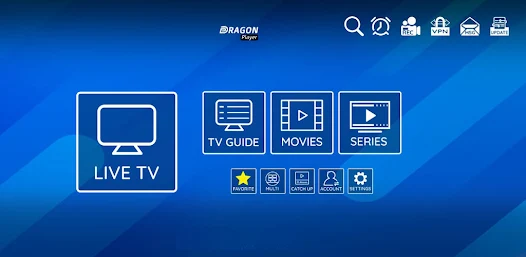
L’IPTV (Internet Protocol Television) is revolutionizing the way we consume television content. In 2025, this technology has become a must-have for users wishing to enjoy a flexible and diversified TV experience on their Windows PC. This solution lets you access thousands of channels from all over the world directly from your computer, offering a modern alternative to traditional TV services.
Windows platforms remain among the most widely used operating systems in France, which explains the importance of high-performance, reliable IPTV applications specifically designed for this environment. Whether you're an international sports fan, a movie buff or simply looking for a solution to watch your favorite programs, IPTV applications for Windows represent a complete and accessible solution.
In this article, we take an in-depth look at the best IPTV applications available for Windows in 2025, examining their features, benefits and limitations. Our selection covers both free and paid options, for all budgets and needs. You'll also discover how to install, configure and optimize these applications for the ideal viewing experience.
What is IPTV and why use it on Windows?
Definition and operation of IPTV
L’IPTV refers to the delivery of television content via Internet protocol, rather than by traditional methods such as cable, satellite or DTT. In concrete terms, this technology transforms TV signals into data packets that are transmitted via the Internet to your device. This method offers unrivalled flexibility, enabling access not only to live channels, but also to on-demand content and recordings.
Advantages of Internet TV on Windows
There are many advantages to using this technology on a Windows computer:
- Broad compatibility As Windows is the most widely used operating system for personal computers, most applications are optimized for this platform.
- Superior processing power Windows PCs generally have more computing power than TV boxes or smartphones, enabling smooth playback even of high-definition streams.
- Versatile use You can easily switch between your TV service and other applications, perfect for multitasking.
- Extensive customization options Windows applications often offer more settings and customization options.
- Possibility of using a large screen Easily connect your PC to a large screen or projector for an immersive experience.
Technology evolution in 2025
In 2025, this Internet TV technology has evolved considerably, with notable improvements in stream quality (4K HDR becoming standard), the integration of artificial intelligence features for personalized recommendations, and improved connection stability. The democratization of fiber optics in France has also contributed to the growth of this solution, offering the necessary speeds for an optimal experience.
How to choose an application for Internet TV on Windows
Essential selection criteria
When choosing the ideal application for your Windows PC, there are several criteria to consider:
- Format compatibility The application must support common formats such as M3U, M3U8, TS, RTMP and others.
- User interface A clear, intuitive interface makes day-to-day navigation a breeze.
- Performance Smooth reading and fast loading are essential for a pleasant experience.
- Features Electronic Program Guide (EPG), favorites, recording and time-shifting are all features that enhance the viewing experience.
- Regular updates An actively maintained application guarantees compatibility with the latest Windows versions and new formats.
- Technical support : Good customer support can prove invaluable in the event of a problem.
Essential features
Some features are particularly important for optimum use of Internet TV on Windows :
- Multi-list support : Ability to add multiple sources
- Subtitle management Indispensable for foreign-language content
- Advanced playback controls Pause, fast forward, rewind
- Channel organization by category For easy access to your favorite content
- VPN compatibility : To guarantee your privacy when streaming
Legality and safety
It's vital to ensure that your use of IPTV is legal. In France, unauthorized access to copyrighted content is illegal. Opt for legitimate IPTV services and applications that respect copyright. In addition, choose applications from reliable sources to avoid the malware potentially present in some unofficial applications.
Top 7 best applications for Internet TV on Windows in 2025
1. VLC Media Player
In 2025, VLC remains one of the essential references for Internet TV streaming on Windows. This free, open-source application is renowned for its versatility and ability to play virtually any multimedia format.
Highlights :
- Support for a wide range of streaming formats and protocols
- Lightweight and fast
- Free, ad-free player
- Integration of advanced features such as time-shifting
- Customizable interface via extensions
Weaknesses :
- Interface sometimes considered too technical for beginners
- No integrated EPG (requires extensions)
- Basic chain organization
VLC stands out for its proven reliability and excellent compatibility with Windows 11 and all previous versions still supported. To use TV streams with VLC, simply open an M3U playlist file or add a network stream URL.
2. MyIPTV Player
MyIPTV Player has established itself as one of the best solutions dedicated specifically to Internet TV on Windows. Developed with users' needs in mind, this application offers a perfect balance between simplicity and advanced functionality.
Highlights :
- Intuitive, modern interface ideal for beginners
- Full EPG support with programmable recordings
- Advanced channel list management with filters and favourites
- Powerful search functions
- Regular updates with new features
Weaknesses :
- Full version for a fee (though reasonable)
- Resource consumption can be high on modest configurations
MyIPTV Player offers a free trial version that lets you test the application before upgrading to the premium version. Its specific design for Internet TV makes it a top choice for regular users.
3. Perfect Player
Perfect Player remains a benchmark in the Internet TV ecosystem for Windows, particularly appreciated for its lightness and ease of use, while offering advanced functionality.
Highlights :
- Minimalist but effective interface
- Excellent EPG management
- Low resource consumption
- Support for M3U/M3U8 playlists and Xtream Codes
- Extensive customization options
Weaknesses :
- Slightly dated design compared to the competition
- Some limitations on subtitle formats
- Initial learning curve for EPG configuration
Perfect Player is particularly recommended for older or less powerful Windows computers, thanks to its excellent optimization.
4. Kodi with dedicated extensions
Kodi, the popular open-source media center, remains a versatile solution for Internet TV in 2025, thanks to its rich ecosystem of dedicated extensions.
Highlights :
- Highly customizable platform
- Extensive library of TV streaming add-ons (PVR Simple Client, IPTV Merge, etc.)
- Large-screen interface
- Seamless integration with other media (films, series, music)
- Active community and ongoing support
Weaknesses :
- More complex configuration than dedicated drives
- Performance varies according to the extensions used
- Keeping extensions up to date
Kodi is ideal for users who want an all-in-one solution for their digital entertainment, beyond just Internet TV.
5. ProgTV
ProgTV has established itself as a robust solution for demanding users, offering a complete TV experience on Windows.
Highlights :
- Outstanding multi-format support (including proprietary protocols)
- Customizable interface with TV mode for remote controls
- Advanced features such as scheduled recording
- Streaming options to other devices
- Support for encrypted channels with appropriate modules
Weaknesses :
- Less intuitive interface for novices
- Paid full version
- Documentation mainly in English
ProgTV is particularly recommended for technical users looking for a complete solution with advanced recording capabilities.
6. IPTV Smarters Pro for Windows
Initially popular on mobile, IPTV Smarters Pro has developed a high-performance Windows version that is gaining in popularity in 2025.
Highlights :
- Modern, attractive interface
- Excellent management of categories and favorites
- Full Xtream Codes and M3U support
- Integrated VOD features
- Multi-screen and parental control
Weaknesses :
- Some advanced features reserved for the paid version
- Occasionally resource-hungry
- Limited compatibility with specific formats
This application is ideal for those who already use IPTV Smarters on other platforms and want a consistent experience on Windows.
7. GSE Smart IPTV
GSE Smart IPTV for Windows offers a refined user experience with a good balance between simplicity and advanced features.
Highlights :
- Elegant, intuitive interface
- Excellent EPG and metadata support
- Advanced customization options
- Multi-list support with synchronization
- Good stability even with large channel lists
Weaknesses :
- Freemium model with certain limitations in the free version
- Long initial loading times
- Technical support to be improved
GSE Smart IPTV is particularly recommended for users looking for a clean interface and a smooth experience on their Windows PC.
Free vs. paid applications: which to choose?
Comparison of available options
The choice between a free or paid application largely depends on your specific needs. Here's a comparison to help you decide:
| Features | Free applications | Pay applications |
|---|---|---|
| Initial cost | Free | Generally between €5 and €30 |
| Advertising | Often present | Generally absent |
| Advanced features | Limited | Complete |
| Technical support | Community | Professional |
| Updates | Irregular | Regular |
| Integrated EPG | Basic or absent | Complete and customizable |
| Recording | Basic functions | Advanced options |
| Interface | Functional | Neat and intuitive |
The best free options
Among free applications, VLC Media Player and Kodi (with its free add-ons) offer the best value for money. These open-source solutions benefit from a large community and active development, guaranteeing their longevity and ongoing evolution.
When should you invest in a paid application?
Investment in a paid IPTV application is particularly justified in the following cases:
- You use IPTV on a daily basis
- Manage numerous channel lists
- You need a complete, reliable EPG
- You want advanced recording features
- You prefer stability and professional support
Applications such as MyIPTV Player or ProgTV offer an excellent return on investment for regular users.
Installation and configuration guide
Step-by-step installation process
Most Internet TV applications for Windows follow a similar installation process:
- Download Download the installation file from the application's official website
- Check Make sure the file comes from a reliable source (check digital signatures if available).
- Installation Run the installation file and follow the on-screen instructions
- First launch Open the application and perform the initial configuration.
- Update Check for and install the latest available updates
Special precautions are sometimes necessary:
- Temporary antivirus deactivation to avoid false positives
- Installation of additional components (such as certain video codecs)
- Setting Windows firewall permissions
IPTV playlist configuration
To set up your IPTV channel list, follow these general steps (which vary depending on the application you've chosen):
- Retrieving your list Get the URL or M3U/M3U8 file from your IPTV provider
- Import In the application, look for an option such as «Add a list» or «Import».»
- Configuration Enter URL or select local file
- EPG settings If available, also configure the program guide URL
- Personalization Organize your channels, create groups, set favourites
- Check : Test several chains to ensure correct operation
Solving common problems
IPTV users on Windows frequently encounter these problems, which you can solve as follows:
- Flows that freeze Check your Internet connection (a minimum of 10 Mbps is recommended for HD), reduce stream quality or use a VPN to avoid operator limitations.
- Channel list not loaded Check that the URL is up to date and correctly entered, try importing the M3U file locally
- Out-of-sync audio : Use your player's audio/video synchronization options, try another player
- EPG errors Make sure that the EPG URL is correct and that the time zone is set correctly.
Optimizing your Internet TV experience on Windows
Recommended hardware configuration
For a smooth IPTV experience on Windows in 2025, here are the recommended specifications:
- Processor Intel Core i3/AMD Ryzen 3 or higher (for 4K, prefer an i5/Ryzen 5)
- RAM 4 GB minimum, 8 GB recommended
- Graphics card : Compatible with H.264/H.265 hardware acceleration
- Storage SSD preferable for recording functions
- Internet connection 15 Mbps minimum, 50 Mbps recommended for 4K
- Operating system Windows 10/11 with the latest updates
Network optimization for IPTV
The quality of your Internet connection is crucial for IPTV. Here are some tips on how to optimize it:
- Wired connection Ethernet over Wi-Fi whenever possible
- Quality of service (QoS) : Configure your router to prioritize IPTV traffic
- Alternative DNS server : Use DNS like Google (8.8.8.8) or Cloudflare (1.1.1.1) for better resolution
- VPN optimized for streaming If necessary, choose a VPN with good bandwidth and dedicated streaming servers
- Network driver updates : Keep your drivers up to date for better performance
Useful extensions and add-ons
Some extensions can significantly enhance your IPTV experience:
- For VLC EPG extensions such as XMLTV, remote control plug-ins
- For Kodi PVR IPTV Simple Client, IPTV Merge, user interface add-ons
- Windows utilities StreamTest for diagnosing streaming problems, NetLimiter for bandwidth management
Legal and safety aspects
Legal framework in France
In France, the use of Internet TV is legal as long as you access content for which you have the necessary rights. However, many services offer unauthorized access to copyright-protected content, which is illegal under French law and European directives.
HADOPI (now ARCOM) actively monitors copyright infringement and can sanction users of illegal services. Penalties can include fines of up to €1,500 for users and much heavier penalties for distributors.
There are legal services such as those offered by French telecom operators (Orange, SFR, Free, Bouygues), as well as platforms like Molotov.tv that offer bouquets of legally accessible channels.
Protecting your data
To secure your use of IPTV on Windows :
- Use a reliable VPN : To protect your privacy when streaming
- Up-to-date antivirus : Regularly scan your system and IPTV applications
- Reliable sources : Only download applications from their official websites
- Regular updates : Keep Windows and your applications up to date to close security loopholes
- Be careful with personal information : Avoid sharing your login or bank details on dubious services
Legal alternatives to traditional IPTV
To stay within a legal framework while enjoying the benefits of IPTV, several alternatives exist:
- Legal OTT services Netflix, Amazon Prime Video, Disney+, etc.
- Online TV platforms Molotov TV, myCanal, etc.
- Official channel applications France.tv, 6Play, ARTE, etc.
- IPTV offers from operators : Included in many Internet packages
Conclusion
Internet TV on Windows continues to evolve rapidly in 2025, offering ever wider possibilities for accessing a variety of TV content. The applications we have presented cater for different needs and levels of expertise, enabling everyone to find the ideal solution.
VLC Media Player remains the most versatile and accessible option for beginners, while solutions such as MyIPTV Player and Perfect Player offer a more dedicated experience with advanced features. For demanding users looking for a complete ecosystem, Kodi with its extensions represents an excellent compromise.
Whatever application you choose, don't forget the importance of the legal and security aspects of your use. Choose legitimate services and keep your applications up to date for the best possible experience.
The future of Internet TV on Windows looks bright, with the arrival of technologies like AI for personalized recommendations, growing integration with other streaming services, and the steady improvement in visual quality towards 8K. Applications will continue to evolve to offer ever more immersive and personalized experiences.
FAQ : Frequently asked questions about Internet TV for Windows
What is IPTV and how does it work on Windows?
IPTV (Internet Protocol Television) is a technology that enables television content to be broadcast via the Internet rather than by traditional means. On Windows, it works through specific applications that decode these streams and display them on your screen, giving you access to thousands of channels from all over the world.
Are Internet TV applications legal in France?
The applications themselves are legal. It's how you use them that may or may not be legal. Unauthorized access to protected content is illegal in France. There are, however, legal services offered by authorized operators or platforms.
What's the best free application for Windows in 2025?
VLC Media Player remains the best free option for Internet TV on Windows in 2025, thanks to its versatility, stability and compatibility with almost all formats. Kodi, with its free extensions, is also an excellent alternative.
Do I need a VPN to use these services on Windows?
A VPN isn't technically necessary, but it's highly recommended for several reasons: protecting your privacy, bypassing geographic restrictions, and potentially improving streaming quality by avoiding bandwidth limitations from your ISP.
How can I solve buffering problems with my application?
To reduce buffering problems, check your Internet connection (prefer Ethernet to Wi-Fi), reduce stream quality if necessary, use a VPN to avoid ISP throttling, close bandwidth-hungry applications, and make sure your PC has sufficient resources.
Can these applications completely replace my traditional TV subscription?
Yes, with the right app and a quality service, you can replace your traditional TV subscription entirely. You'll even usually have access to more international channels and on-demand content. However, make sure you use legal services and have a fast, stable internet connection.
How do I add channel lists to my application?
Most applications allow you to add channel lists via an M3U/M3U8 URL or a local file. Look for an option such as «Add list», «Import» or «Open network stream» in your application, then enter the URL provided by your service or select the local playlist file.
Is my application compatible with parental controls?
Some applications, such as IPTV Smarters Pro and MyIPTV Player, offer built-in parental control functions. For others, you can generally use Windows' parental control functions or install dedicated third-party software to filter out inappropriate content. on-demand content. However, make sure you use legal services and have a fast, stable Internet connection.
How do I add channel lists to my IPTV application?
Most IPTV applications allow you to add channel lists via an M3U/M3U8 URL or a local file. Look for an option such as «Add list», «Import» or «Open network stream» in your application, then enter the URL provided by your IPTV service or select the local playlist file.
Does my IPTV application support parental control?
Some applications, such as IPTV Smarters Pro and MyIPTV Player, offer built-in parental control functions. For others, you can generally use Windows' parental control functions or install dedicated third-party software to filter out inappropriate content.